What these networks do
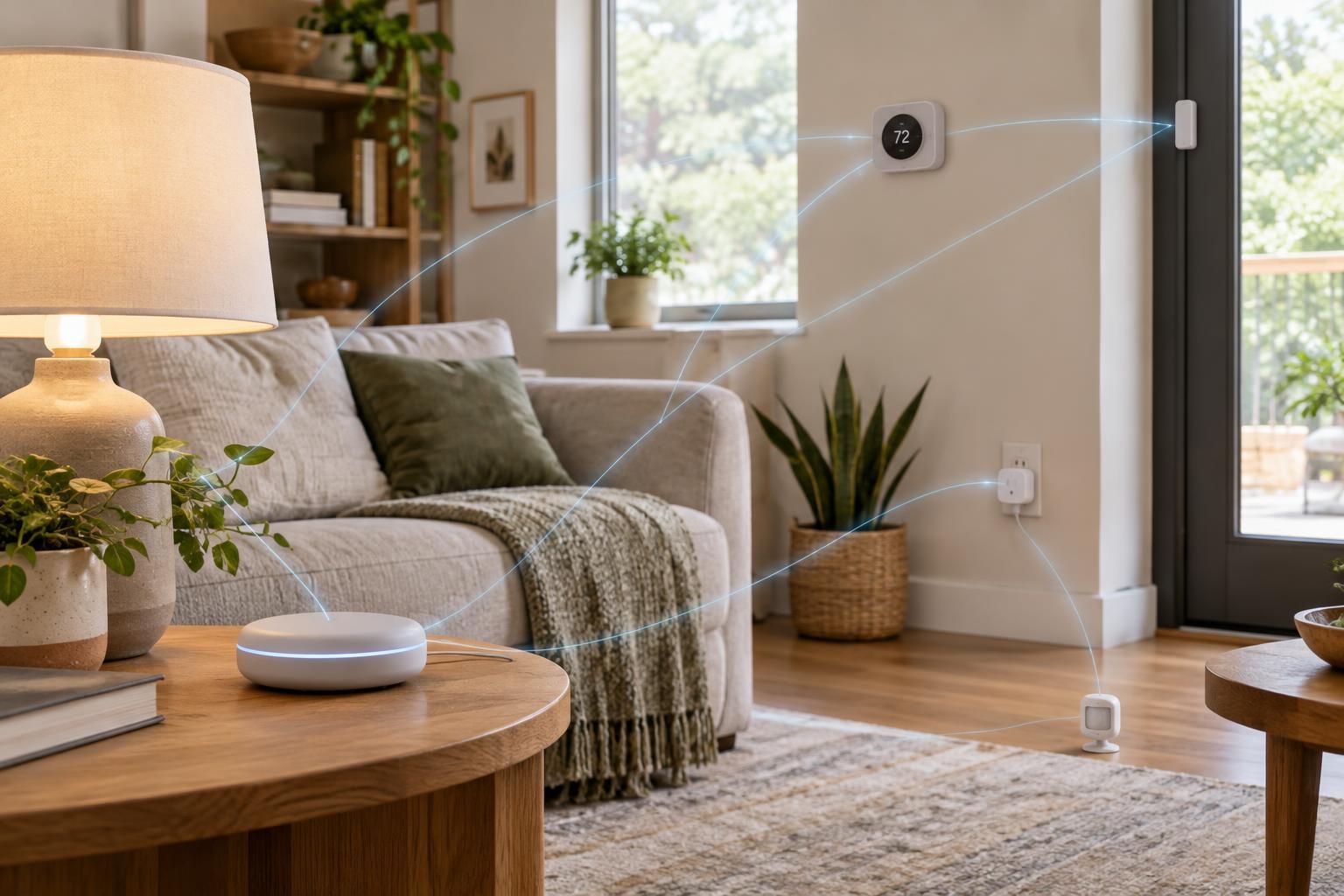
Zigbee, Z-Wave and Thread are wireless technologies used by devices such as sensors, switches, locks and thermostats. They are useful when a device sends small amounts of data and needs to run on a battery or communicate across several rooms. Unlike a typical Wi-Fi device, a device using one of these networks generally needs another piece of equipment to connect it to your phone, voice assistant or wider home network.
All three can use a mesh: suitably powered devices relay messages for other devices. Battery-powered sensors usually do not act as relays, so a house full of sensors may still have coverage gaps. The key difference for shoppers is not simply which network reaches farther. It is which devices work with their chosen controller, what equipment is needed to connect them, and whether the network can be expanded where coverage is weak.
Zigbee: broad choice, with compatibility to check
Zigbee is common in smart bulbs, plugs, sensors and switches. It generally operates on 2.4 GHz in consumer smart homes, a band also used by Wi-Fi and other household devices. That does not mean Zigbee and Wi-Fi cannot coexist, but channel selection and the placement of a Zigbee coordinator may matter in a crowded wireless environment.
A Zigbee network needs a coordinator, often built into a hub or another smart home product. Mains-powered Zigbee devices can often relay traffic, while battery devices typically conserve power by acting only as endpoints. Adding a well-placed plug or switch may improve the route to a distant sensor.
A Zigbee logo alone is not a guarantee that a particular hub supports every feature of a device. Before buying, check the hub’s compatibility list and confirm that functions you care about—such as energy reporting, button actions or temperature readings—are available. This is especially important when mixing products from different manufacturers.
Z-Wave: a hub-based option on a different band
Z-Wave also commonly connects sensors, locks, switches and plugs through a mesh network. It uses sub-GHz radio frequencies rather than Zigbee’s common 2.4 GHz band. This can reduce competition with 2.4 GHz Wi-Fi, although walls, building materials, device placement and nearby interference still affect coverage. It is better to plan for a useful network of powered devices than to assume a single radio link will reach every room.
Z-Wave devices need a compatible controller or hub. Frequencies and approved products vary by region, so a device bought for another country may not be suitable for a local network. Check regional compatibility as well as support from your hub before ordering.
Like Zigbee, Z-Wave is a sensible choice when a controller you trust supports the specific devices you want. Compare the available products and their features in your area rather than treating the radio technology alone as a measure of quality.
Thread: an IP-based mesh, not an app platform
Thread is designed to carry IP traffic across a low-power mesh. A Thread border router connects that mesh to other IP networks in the home. Suitable mains-powered Thread devices can relay messages; battery-powered devices generally avoid that job. Thread itself does not define everything an app needs to control a light or lock—it provides networking beneath an application standard.
Matter is one such application standard. A Matter-over-Thread device typically needs a Thread border router and a compatible Matter controller for setup and control. Those functions may be provided by one product or by separate products. A device labeled “Thread” is not automatically a Matter device, and a Matter device might use Wi-Fi instead of Thread.
If you already own a border router, confirm that your intended controller and new devices can use it as expected. Also check which device features the controller exposes. Shared networking standards can make integration easier, but they do not ensure that every app offers identical controls.
How to choose and build a reliable network
Start with the devices and automations you want, then work backward to a controller that supports them. Inventory any hub, Thread border router or voice assistant you already have; these roles are easy to confuse. If you are starting fresh, compare actual device availability, feature support and the equipment needed for setup. You do not need to commit your entire home to one radio technology: a suitable controller may manage devices on more than one network.
For coverage, place the coordinator or border router where it can communicate well with nearby devices, rather than hiding it beside a busy router or inside a metal cabinet. Add compatible mains-powered devices where the mesh needs intermediate hops, then test distant devices in their intended locations before installing them permanently. Moving a sensor can be more useful than assuming its battery is at fault.
Finally, treat the network choice as one part of home security. Keep controllers and device firmware updated when updates are available, use supported secure pairing methods, and remove devices you no longer use. The best choice is the network that supports your specific devices, fits your home’s layout and remains manageable as you add to it.