What a contact sensor can tell your home
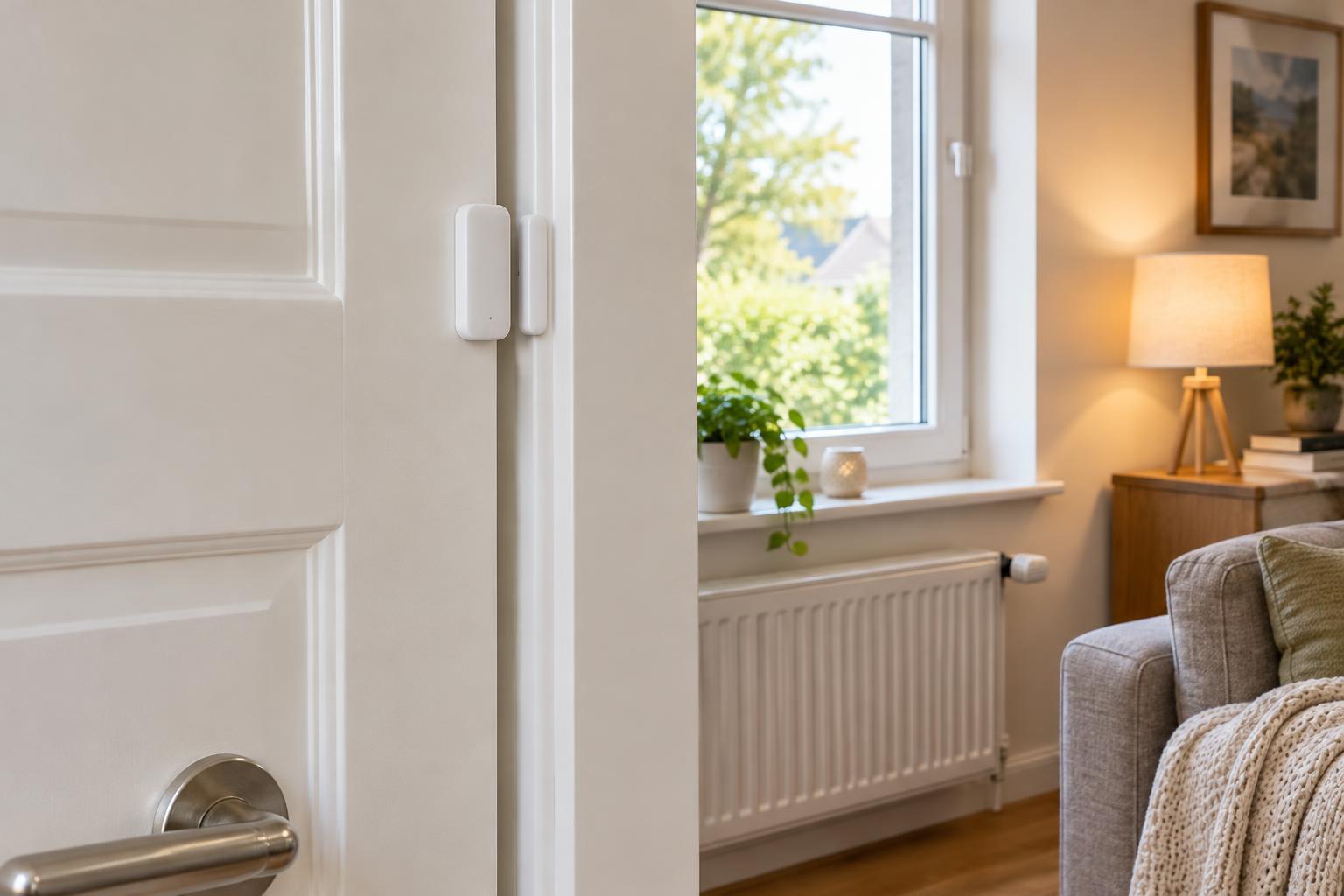
A door or window contact sensor reports a simple state: open or closed. Most kits have two pieces, one mounted on the moving door or window and the other on its frame. When the pieces separate, the sensor reports a change to a hub or home automation platform. That small signal can start an action, pause a device or send a notification.
Choose a use for each sensor before installing it. A front-door sensor might turn on an entry light after dark, while a window sensor might pause heating or cooling in that room. A pantry sensor could switch on a light only while the door is open. The best automations respond to a specific need rather than treating every opening as an emergency.
Contact sensors show position, not intent. An open front door does not reveal who opened it, and a closed window is not necessarily locked. Keep that distinction in mind when designing alerts or using sensors as part of a security setup.
Place sensors for reliable readings
Check that the sensor works with your hub or platform before buying several. Devices may use Wi-Fi, Bluetooth, Zigbee, Z-Wave, Thread or a manufacturer-specific connection. Compatibility includes more than the radio: confirm that your platform can use the open and closed states as automation triggers.
Before attaching a sensor, hold its two pieces in place and watch the state change in the app. Mount them where they line up when closed and separate consistently when opened. Pay attention to the gap allowed by the manufacturer, the swing of the door and any trim that could interfere. For windows, test both normal opening and any tilt position you expect the sensor to recognize.
A clean, dry mounting surface helps adhesive stay put; screws may be preferable where appropriate and permitted. Avoid placing a sensor where it will be knocked during routine use. If a battery-powered device responds inconsistently, check its battery, connection quality and alignment before building more complicated rules around it.
Build useful automations with conditions
Start with one trigger and one action, then add conditions to prevent unwanted behavior. An entry light could turn on when the door opens, but only after dark, and turn off after a short delay if no motion is detected. That is usually more useful than turning it on every time the door opens, regardless of the time or whether someone is already home.
Open-window automations work well as reminders. If a window remains open for a chosen period while heating or cooling is running, send a notification or pause the relevant equipment if your system supports that safely. A delay helps avoid reacting to a window opened briefly for fresh air. When the window closes, consider notifying someone rather than automatically restoring an old thermostat setting that may no longer be wanted.
Other simple examples include turning on a closet light while its door is open or notifying a household member when a garage side door has been left open. Give each rule a clear name, such as “Kitchen window open reminder,” so it is easy to identify when you review your automations later.
Make alerts informative, not exhausting
A notification is most valuable when someone can act on it. Instead of alerting for every opening, try a rule that alerts only when an exterior door stays open beyond a reasonable interval, or when it opens while the home is set to an away mode. Where supported, use different notification settings for low-priority reminders and events that need prompt attention.
Test how a rule behaves during ordinary life: carrying groceries through a door, leaving a window open on a mild day or arriving home after dark. Check for repeated alerts, delayed updates and automations that fight each other. If an opening triggers a light and another rule immediately switches it off, adjust the conditions or timing rather than adding still more rules.
Talk with other household members about alerts that affect them. An automation that seems helpful to its creator can be distracting or surprising to everyone else.
Plan for outages and routine maintenance
Contact sensors depend on more than the sensor itself. Batteries can run low, wireless links can fail, and a hub or internet-dependent service may be unavailable. Check whether your platform runs automations locally or requires an online connection, and do not rely on a contact sensor as the sole way to protect a home or operate essential equipment.
Review sensor status periodically. Replace weak batteries, check that mounts have not shifted and open each door or window to confirm the expected state appears in the app. After changing a router, hub or automation rule, repeat a real-world test rather than assuming the previous behavior still applies.
Finally, keep access to sensor activity limited to people who need it. Door and window events can reveal household routines. Use the platform’s account security features, review who can receive alerts and remove automations or shared access that are no longer useful. A small set of dependable, well-understood rules is better than a long list nobody checks.