Start with the equipment, not the app
A smart thermostat can make temperature control more convenient, but an appealing app does not guarantee that the device will work with your home. Start by identifying the heating and cooling equipment you have. A conventional furnace and air conditioner, a heat pump, and an electric baseboard heater can require different types of controls. Write down the equipment models if you can find them, and check the thermostat maker’s compatibility guide before you buy.
Pay particular attention to heat pumps, which may have auxiliary or emergency heat and a reversing valve that the thermostat must control correctly. If your home has multiple heating or cooling zones, each zone may have its own thermostat or a central control panel. A replacement must fit that arrangement; one smart thermostat will not necessarily control the whole house.
Some systems use proprietary communicating controls rather than standard thermostat connections. Others, including many electric baseboard installations, use line-voltage thermostats instead of the low-voltage models commonly sold as smart thermostats. Do not assume that a familiar-looking wall control is interchangeable. If the equipment or control type is unclear, ask an HVAC professional to identify it before purchasing.
Inspect the existing thermostat wiring safely
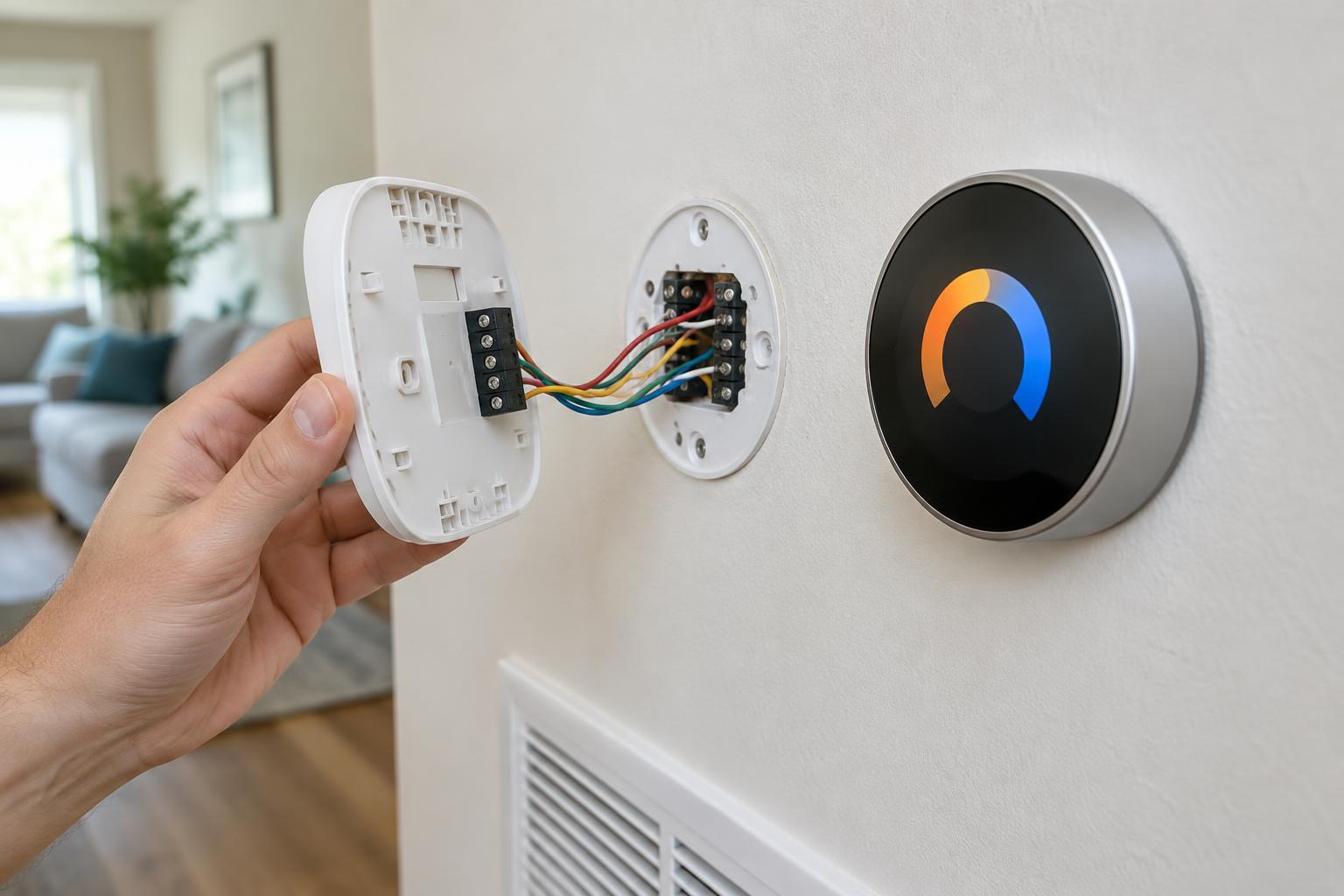
The labels on the terminals behind your current thermostat are more informative than wire colors, which may not follow a consistent pattern. Before disturbing anything, turn off power to the heating and cooling equipment at its designated switch or breaker. If you can safely remove the thermostat faceplate without touching exposed conductors, photograph the terminal labels and the wires connected to them. Keep the wires identified by terminal; a red wire, for example, is not proof that it serves a particular function.
Many smart thermostats need a C wire, or common wire, to provide continuous power. Some models can work without one under certain conditions or offer an approved power adapter. An unused wire tucked into the wall does not automatically solve the problem: it must also be connected appropriately at the equipment end. Use the manufacturer’s compatibility checker with your actual terminal labels, and follow its approved installation options.
Stop if you see thick wiring, unfamiliar terminals, damaged insulation, or signs that the old control may be line-voltage. Avoid guessing at connections or borrowing a wire assigned to another function. Incorrect wiring can keep the equipment from operating as intended. When the compatibility checker calls for changes at the furnace or air handler, professional installation is a sensible choice.
Choose scheduling that matches daily life
A basic schedule sets different temperatures for times such as waking, leaving, returning, and sleeping. That may be enough if your routine is predictable. Look for an interface that makes temporary changes easy without silently replacing the underlying schedule. Separate weekday and weekend plans can be helpful, but only if someone in the household will maintain them.
Some thermostats add occupancy sensing, phone-based presence detection, or learning features that adjust a schedule over time. These can reduce the need for manual changes, but they can also make the system feel unpredictable if people work irregular hours or leave their phones behind. Check whether you can review, edit, or disable automatic adjustments. Room sensors may improve comfort when the thermostat is in a hallway that does not reflect the temperature where people spend time.
Use moderate temperature changes as a starting point, then observe comfort and how the equipment responds. Large setbacks are not ideal for every system: a heat pump, for instance, may use auxiliary heat during recovery, depending on its controls and conditions. A useful schedule is one your household understands and can adjust, not necessarily the most elaborate one the app offers.
Check connectivity, privacy, and fallback controls
Most smart thermostats connect to a home Wi-Fi network for remote access, alerts, and software updates. Confirm that your network reaches the thermostat location and that the model supports your network setup. Also check what remains usable if the internet is down. Local temperature adjustment at the wall is an important fallback, even if app features are unavailable.
Review the account and privacy options before setup. Features such as phone-based presence detection may depend on location permissions, while usage reports may involve storing household activity data. Choose only the features you want, protect the account with a strong unique password, and enable multifactor authentication if offered. Keep the thermostat’s software updated when updates are available.
Make a short buying checklist
Before choosing a model, confirm five things: the HVAC system type, the current terminal labels, the power or C-wire requirements, the scheduling controls, and the features available without an internet connection. Add any household-specific needs, such as room sensors, accessible wall controls, or support for multiple zones. If you rent or live in a building with shared equipment, check what changes you are permitted to make.
Once installed, test heating and cooling modes according to the manufacturer’s instructions, including any supported fan and auxiliary-heat functions. Keep a photo of the original wiring and the old thermostat until the new setup is working reliably. A thermostat that is compatible, understandable, and easy to override will usually serve you better than one chosen only for its list of automated features.