What a smart plug can and cannot do
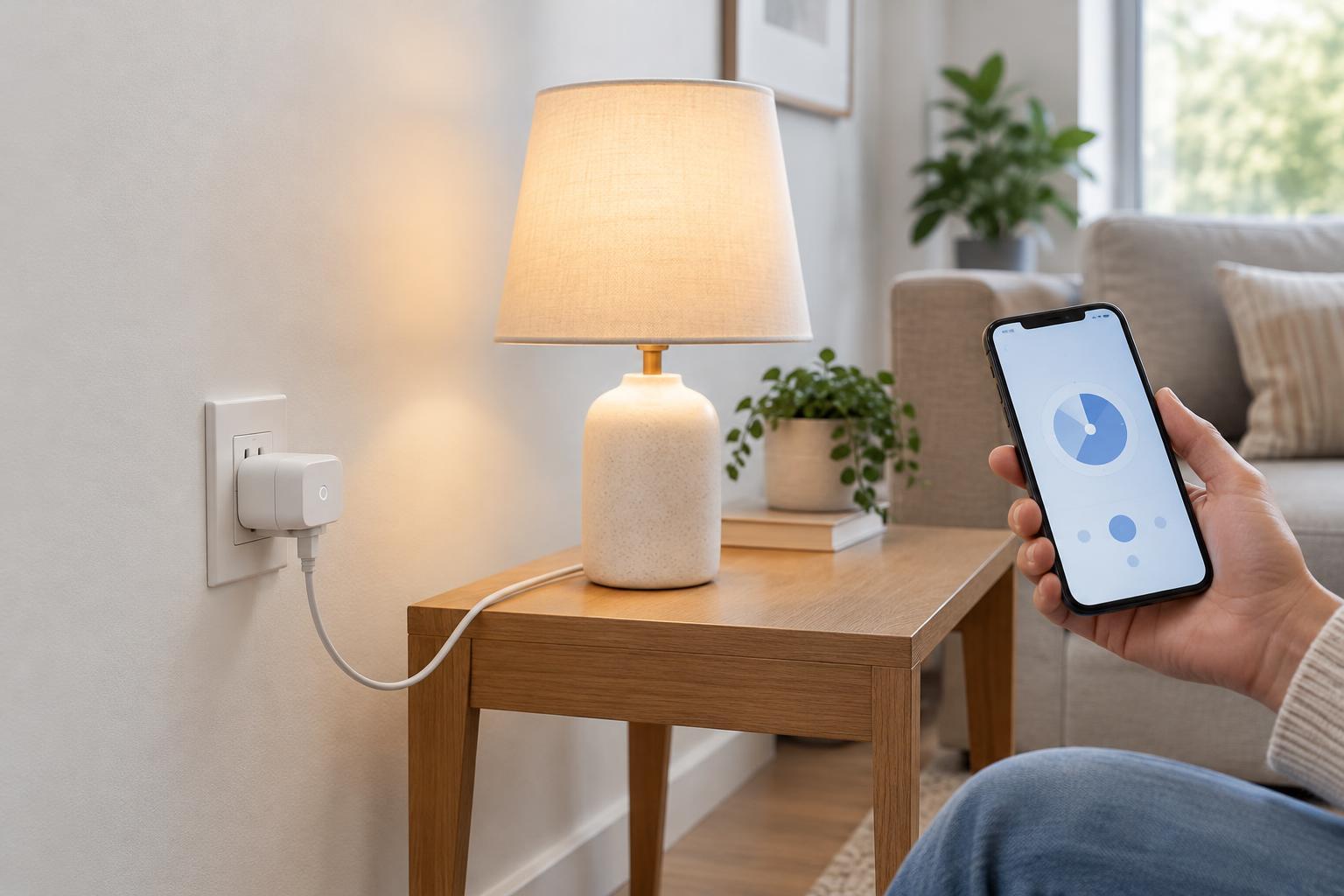
A smart plug fits between a wall outlet and an appliance. Its main job is to switch power on or off through an app, a schedule, or a compatible home automation system. Some models also measure energy use. A smart plug does not change the voltage supplied by the outlet, and its software features do not increase the amount of electricity it can safely handle.
Before buying one, consider whether the appliance will actually resume the intended operation when power returns. A simple lamp with a physical on/off switch may work well. A device with a touch-sensitive power button may remain off after the smart plug turns on. Test this behavior while you are present rather than assuming a schedule will work as expected.
Match the plug’s rating to the load
Read the smart plug’s label and instructions for its supported voltage and maximum current or wattage. Compare those limits with the appliance’s label. If power is listed in watts and the plug’s limit is listed in amps, watts divided by volts gives an approximate current for many ordinary household loads. Use the voltage specified for your local supply, and allow a comfortable margin rather than planning to operate at the plug’s maximum rating.
The appliance’s running power is not always the whole story. Motors and compressors can draw a brief surge when starting. Even if their normal running load appears to fit, that surge may be unsuitable for a particular smart plug. Check the manufacturer’s guidance for the type of load you intend to connect; if it is unclear, choose another way to control the appliance.
Use the plug only in the outlet orientation and environment its instructions allow. An indoor plug should not be used outdoors or in a damp location unless it is specifically rated for that use. Keep it visible enough to check for damage and avoid stacking adapters, power strips, or extension cords around it. If a plug or outlet becomes unusually warm, discolored, loose, or damaged, stop using it.
Choose appliances that suit on/off control
Good candidates are devices that can be safely interrupted and that behave predictably when power is restored. Examples may include a modest table lamp, decorative lighting, or a fan whose manufacturer permits external switching. The smart plug must still meet the device’s electrical requirements, and the device should be safe to operate under the conditions of your proposed schedule.
Avoid using a routine smart-plug schedule for appliances where an unexpected start, stop, or failure could cause harm. Portable heaters, irons, cooking appliances, and similar high-heat devices are poor choices for unattended control, even when their stated wattage appears to fit. Refrigerators and freezers also deserve caution: compressor startup demands and the consequences of an accidental shutoff make them unsuitable for casual automation. Do not put medical equipment, safety devices, or anything else that must remain powered on a convenience schedule.
A smart plug is not a substitute for an appliance’s built-in safety controls. Its relay can switch supply power, but it cannot determine whether a heater is covered, a fan is obstructed, or a device is in a safe operating state.
Build schedules that fail safely
Start with a simple schedule and observe it for a few days. Confirm that the correct device turns on and off, that the app uses the right time zone, and that any sunrise or sunset setting behaves as you expect. Seasonal clock changes, internet interruptions, and changes to your home network can affect some automations, depending on the product.
Think about what happens after a power outage. Some smart plugs restore their previous state; others default to on or off or offer a setting you can choose. Check the actual behavior before relying on a schedule. For lights, an unexpected state may be inconvenient. For an appliance that could heat up or move when power returns, it may be unsafe.
Keep manual control straightforward for everyone in the household. Label plugs when several look alike, and make sure people know whether a wall switch or appliance switch must also be on. If someone needs to turn a device off immediately, they should not have to find a phone first.
Maintain the plug and its connection
Install the manufacturer’s app and firmware updates when available, use a strong unique account password, and enable additional account protection if offered. Give household members only the access they need. These steps help reduce the chance of unwanted remote switching, though they do not replace basic electrical precautions.
Revisit the setup whenever you replace an appliance or change a schedule. A plug that was appropriate for a lamp may not be appropriate for a heater or motorized device. The safest smart-plug setup is one in which the electrical load is suitable, the automation is predictable, and an unexpected on or off state would not create a serious problem.