Start with the activity you want to catch
Before changing settings, decide what deserves your attention. For many homes, that means someone approaching the door, stopping on the porch, or leaving a package. A person walking past on the sidewalk may be less important. Write down two or three events you want an immediate alert for, then identify common movements you would rather ignore. This gives you a clearer goal than simply trying to make the camera detect less motion.
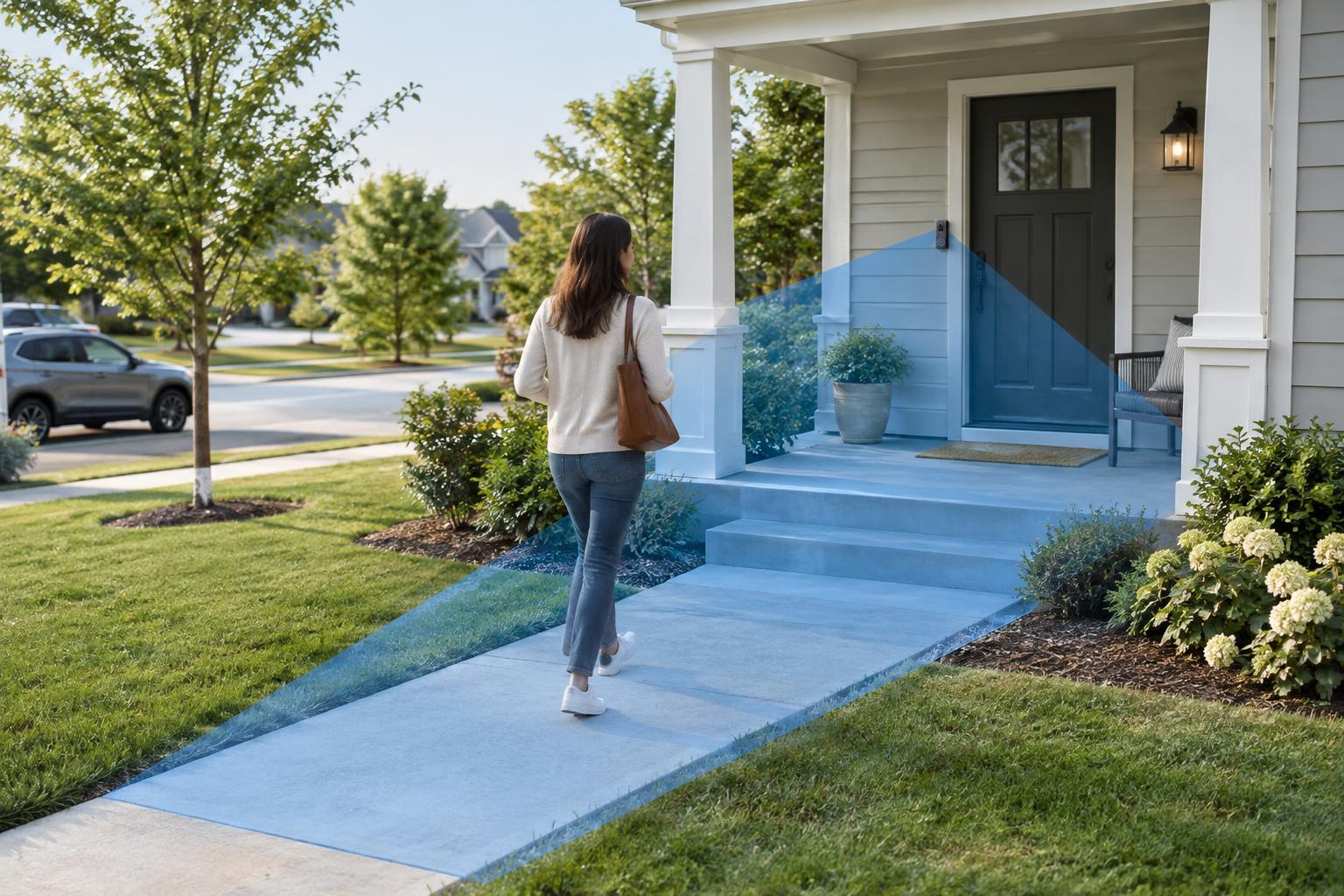
Look at the doorbell’s live view during the day and after dark. Note where a visitor first appears, where they stand to press the bell, and whether steps, railings, plants, or parked vehicles block part of the view. A motion zone can only work with what the camera sees. If the camera mostly faces a road or points too high to show the approach, adjusting its angle or using a compatible mounting wedge may help more than changing software settings.
Draw zones around the approach, not the whole image
A motion zone is an area of the camera image where the doorbell checks for movement. If your model supports custom zones, begin with the walkway and the space immediately in front of the door. Keep busy areas such as a street, shared path, or moving tree branches outside the zone where possible. Avoid making the zone so narrow that a visitor enters it only when they are already at the door.
Some apps offer several zones with separate rules; others offer only a broad activity area. Use the controls your device provides rather than expecting precise boundaries. Camera perspective can be deceptive: a small area near the top of the image may cover a distant stretch of pavement, while a larger area near the bottom may cover only your doorstep. Make one change at a time and save it before testing, so you can tell which adjustment made a difference.
Tune sensitivity and alert types separately
Motion sensitivity usually affects how readily the doorbell treats movement as an event. Start near the default setting, then lower it gradually if you receive frequent alerts for shadows, leaves, or distant activity. If approaching visitors are missed, raise it a step and test again. Sensitivity cannot fully compensate for a poor viewing angle, and very low settings may suppress the events you care about.
If your doorbell offers person, package, vehicle, or animal detection, check how each category changes notifications. These labels are helpful filters, not guarantees: lighting, weather, distance, and partial views can affect classification. You might choose immediate phone alerts for doorbell presses and people near the entrance, while keeping other motion events in the event history without a push notification. That way, you can review activity without having your phone interrupt you for every clip.
Test with real walks and everyday conditions
Ask someone in your household to approach the door as a visitor would: from the sidewalk or driveway, up the path, and onto the porch. Check whether you receive an alert, when it arrives, and what the recording shows. Then walk past without approaching to see whether the doorbell can distinguish a passerby from a visitor. Repeat after each meaningful settings change rather than adjusting several controls at once.
Test at more than one time of day if possible. Sunlight and moving shadows can create daytime triggers, while porch lights and headlights can change the nighttime image. Also review whether recordings begin early enough to show the approach. Some doorbells offer recording duration, retrigger delay, or similar options that affect how much of an event is captured and how often repeat alerts arrive. Their names and availability vary by model.
Keep alerts useful over time
Notification schedules can help if activity follows a predictable pattern. For example, you may want fewer routine motion alerts while people are coming and going at home, but still want doorbell presses to notify you. Check whether schedules silence only phone notifications or also affect recording; the distinction matters when you later look for an event. If several people receive alerts, agree on which devices need immediate notifications.
Revisit your settings when the scene changes. Seasonal plant growth, a new light, a moved car, or a changed walking route can make an old zone less effective. Review a few recent false alerts and missed events before editing anything. Finally, aim the camera and zones with neighbors and shared spaces in mind, and use the device’s privacy controls where available. The best setup is not the one that detects the most movement; it is the one that reliably calls attention to activity you can act on.