Start with the opener you already have
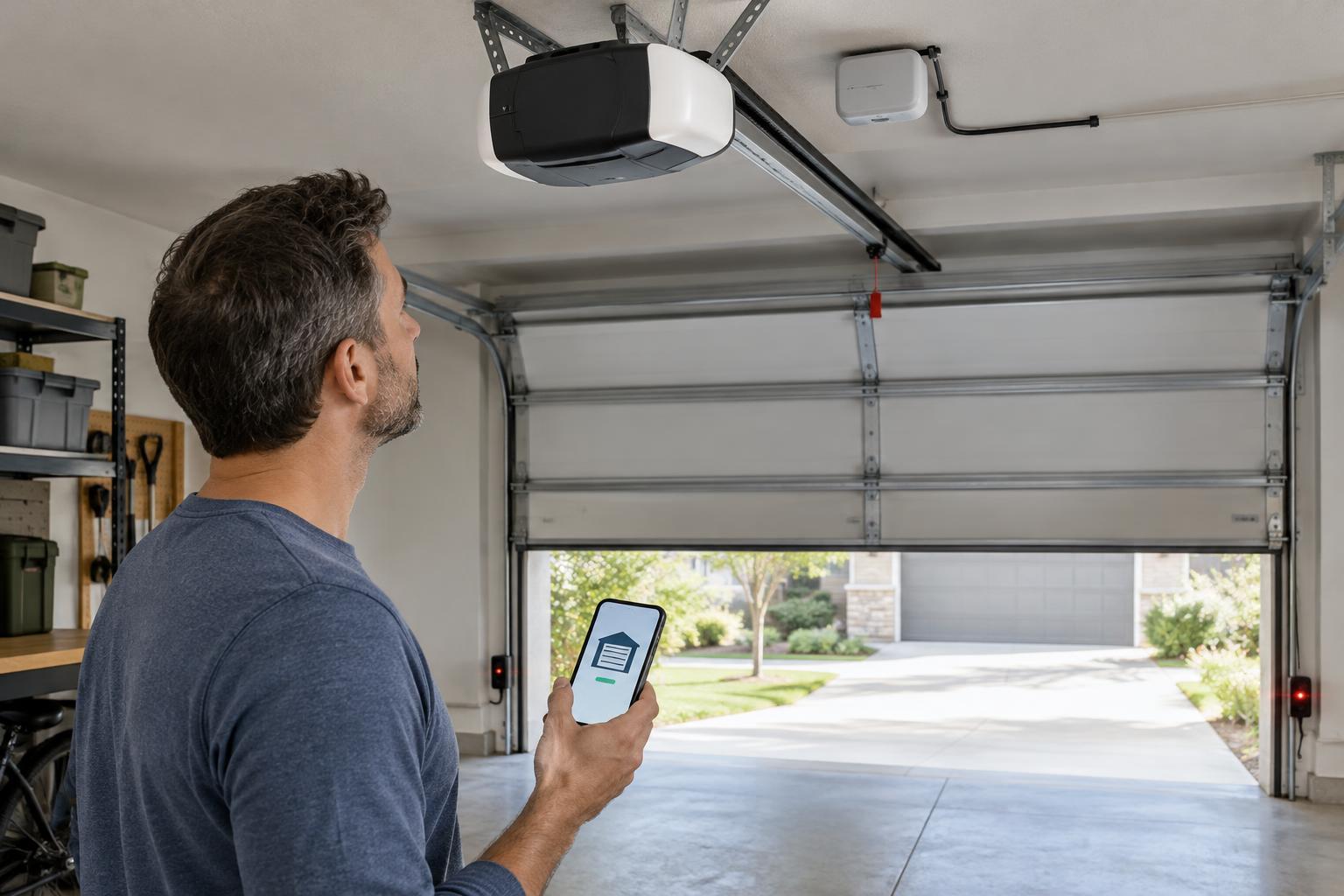
A smart garage door controller is usually an accessory, not a replacement for the motor that lifts the door. Many controllers trigger an existing opener and use a separate sensor to report whether the door is open or closed. Before shopping, record the opener’s make and model, find its installation manual, and check the controller manufacturer’s compatibility list. A similar-looking wall button does not prove that two systems will work together.
Some openers accept a simple momentary signal through their wall-button terminals. Others use a digital or proprietary connection between the wall control and the opener. A controller designed for the first type may not operate the second without a specifically supported adapter. Check whether the product supports your opener’s wiring and any accessories you already use, such as a keypad, wall console, or battery backup. If compatibility is unclear, ask the controller maker before connecting anything.
Check the door and its safety features first
A connected controller cannot make a poorly maintained door safe. Before adding remote operation, confirm that the door moves smoothly, closes fully, and responds properly to its existing safety systems. Look for working obstruction sensors near the floor and test the opener’s safety reversal as directed by its manufacturer. If the door binds, reverses unexpectedly, or has damaged hardware, stop and have the underlying problem addressed. Springs and other parts under tension are not suitable for casual adjustment.
Remote closing deserves particular care because the person using the app may not be able to see the doorway. Choose a controller whose remote-close behavior is appropriate for the opener and installation, including any required warning sound, flashing light, or delay before movement. Do not bypass obstruction sensors or other safeguards to make a controller work. Follow both manufacturers’ instructions and applicable local requirements; if they conflict, pause the installation and seek qualified help.
Decide how the controller will know the door’s position
A command sent to the opener is not the same as confirmation that the door closed. Most add-on controllers need a position sensor, often mounted on the door, to distinguish open from closed. Check how that sensor attaches, whether it needs batteries, and whether its reported state can be verified in the app. A loose or poorly placed sensor can produce misleading alerts even when the motor responds correctly.
Also consider what happens during interruptions. A power outage may leave the opener unavailable, while a Wi-Fi outage may prevent remote status updates or commands. A controller may show the last known state rather than a current reading when it is offline. Look for a clear offline indication, and do not treat an old app status as proof that the garage is secure. The manual release and ordinary wall control should remain usable as intended by the opener manufacturer.
Match connectivity and controls to your household
Check that the controller’s wireless requirements match the network available in the garage. Wi-Fi coverage can be weaker at the edge of a home or behind a closed metal door. Before buying extra networking equipment, test signal strength near the planned controller location with a device on the same network. If the product uses a hub, confirm where that hub must be placed and whether it introduces another power or network dependency.
Compare day-to-day features rather than choosing solely by the number of integrations. Useful options may include open-door notifications, activity history, shared access for household members, and a way to revoke that access. If you use a voice assistant or home automation platform, check the exact supported actions; a product may report door status without permitting voice-activated closing or opening. Consider whether the essential functions depend on an internet service, a subscription, or a particular app, and whether those terms suit you.
Install carefully and protect access
Use the wiring and mounting method specified for the exact controller and opener. Disconnect power when the installation instructions require it, keep cables clear of moving parts, and mount the position sensor where it will not interfere with door travel. After installation, test status reporting and commands with the doorway in view. Then test the opener’s existing safety behavior again using its manufacturer’s procedure. If anything behaves differently or the reported position is unreliable, stop using remote operation until the issue is resolved.
Treat garage access like any other connected entry point. Use a strong, unique password for the controller account, enable multi-factor authentication if offered, and keep the app and device firmware updated. Give other users individual access where possible rather than sharing one login, and remove access when it is no longer needed. The best choice is a controller that works with your specific opener, preserves its safeguards, reports door position dependably, and makes access easy to manage.