What each cooler actually does
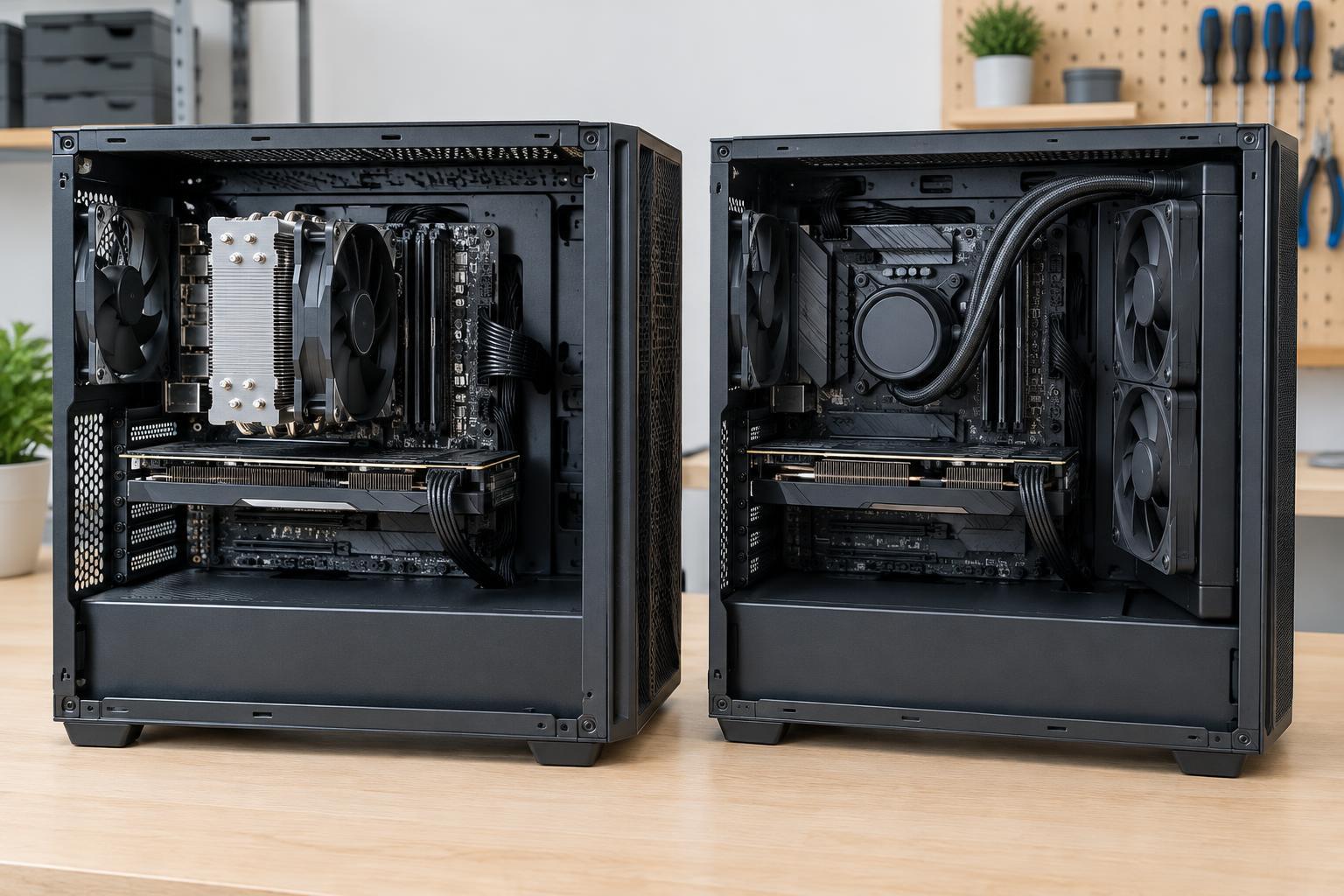
A CPU cooler carries heat away from the processor so it can be released into the surrounding air. An air cooler uses a metal base, heat pipes or a similar heat-spreading structure, a fin stack, and one or more fans. A liquid cooler transfers heat from a block on the CPU through tubing to a radiator, where fans release it. In either case, the heat ultimately enters the room; liquid cooling does not make it disappear.
Most desktop liquid coolers are all-in-one units, often called AIOs. Their pump, tubing, and radiator arrive as a sealed assembly. A custom loop uses separately chosen parts and typically requires filling and more hands-on care. These are different commitments, so it helps to distinguish them when comparing liquid cooling with a conventional air cooler.
Performance and noise depend on the whole build
Both designs can keep a CPU within its intended operating range when the cooler is appropriately sized and installed. A large air cooler may outperform a small liquid cooler, while a radiator with ample surface area may handle sustained heat better than a compact air cooler. The CPU’s heat output, case ventilation, room temperature, and fan settings all affect the result. A cooler’s label alone is not a reliable performance comparison.
Noise is similarly situational. Air coolers primarily produce fan noise. An AIO adds a pump, which may be audible even when its fans spin slowly. A larger heatsink or radiator can sometimes achieve the same cooling with slower, quieter fans, but restricted airflow may force either design to work harder. If quiet operation matters, consider the cooler together with the case’s airflow and the fan speeds you plan to use.
Fit, installation, and cost
Before buying an air cooler, check its height against the case’s CPU-cooler clearance. A wide tower can also overlap tall memory modules or make nearby connectors harder to reach. For a liquid cooler, confirm that the case supports the radiator’s size and thickness at the intended mounting position. Fans add thickness, and motherboard heatsinks or cables can reduce the usable space. Both types need mounting hardware compatible with the CPU socket.
Air cooling is usually simpler to install and often offers good value for a build that has room for a suitable heatsink. An AIO can leave more space around the CPU socket and may suit a case designed around radiator mounts, but it adds a pump, tubing, and more placement decisions. Custom loops offer more flexibility in layout but typically cost more and require substantially more work. Choose based on the space and goals of the build, not appearance alone.
Maintenance and failure points
For either cooler, dust is the routine concern. With the computer switched off and unplugged, periodically inspect the fans, heatsink, radiator, and case filters. Remove dust carefully without letting fans spin freely under a strong stream of air. Check that fans turn normally and that airflow paths remain clear. If you remove the cooler from the CPU, clean the mating surfaces and apply fresh thermal paste before reinstalling it.
An air cooler has relatively few active parts beyond its fans, which are often replaceable. An AIO also depends on a pump; if it stops working, cooling can deteriorate quickly. Sealed units are generally not intended for routine refilling, so follow the maker’s instructions rather than opening one. A custom loop needs regular checks for leaks, fluid condition, and component wear according to its parts and coolant. Any suspected leak calls for shutting the computer down and disconnecting power before inspection.
A practical way to choose
Start with your CPU, case, and intended workload. Check socket support, physical clearances, and the case’s airflow options, then look for a cooler suited to the CPU’s expected heat output. If straightforward installation, lower cost, and minimal upkeep are priorities, a well-fitting air cooler is a strong starting point. If you need a particular radiator layout, want more room around the socket, or prefer an AIO’s appearance, liquid cooling may be worth the added complexity.
Finally, plan for how the computer will be used and maintained. A machine that must be easy to service benefits from accessible fans and filters, regardless of cooling type. After installation, check CPU temperatures and listen for unusual fan or pump sounds during normal use and demanding tasks. Those observations can help you adjust airflow and fan settings—and confirm that the cooler is working as intended.